

CostGraph AutoPilot is free during preview.
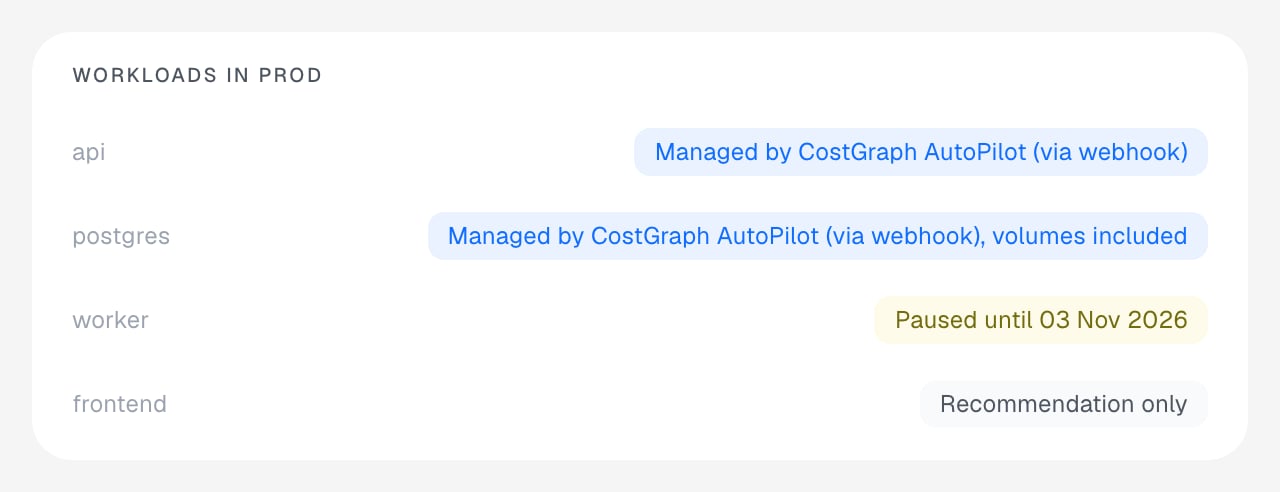
Example workload chips using sample data.
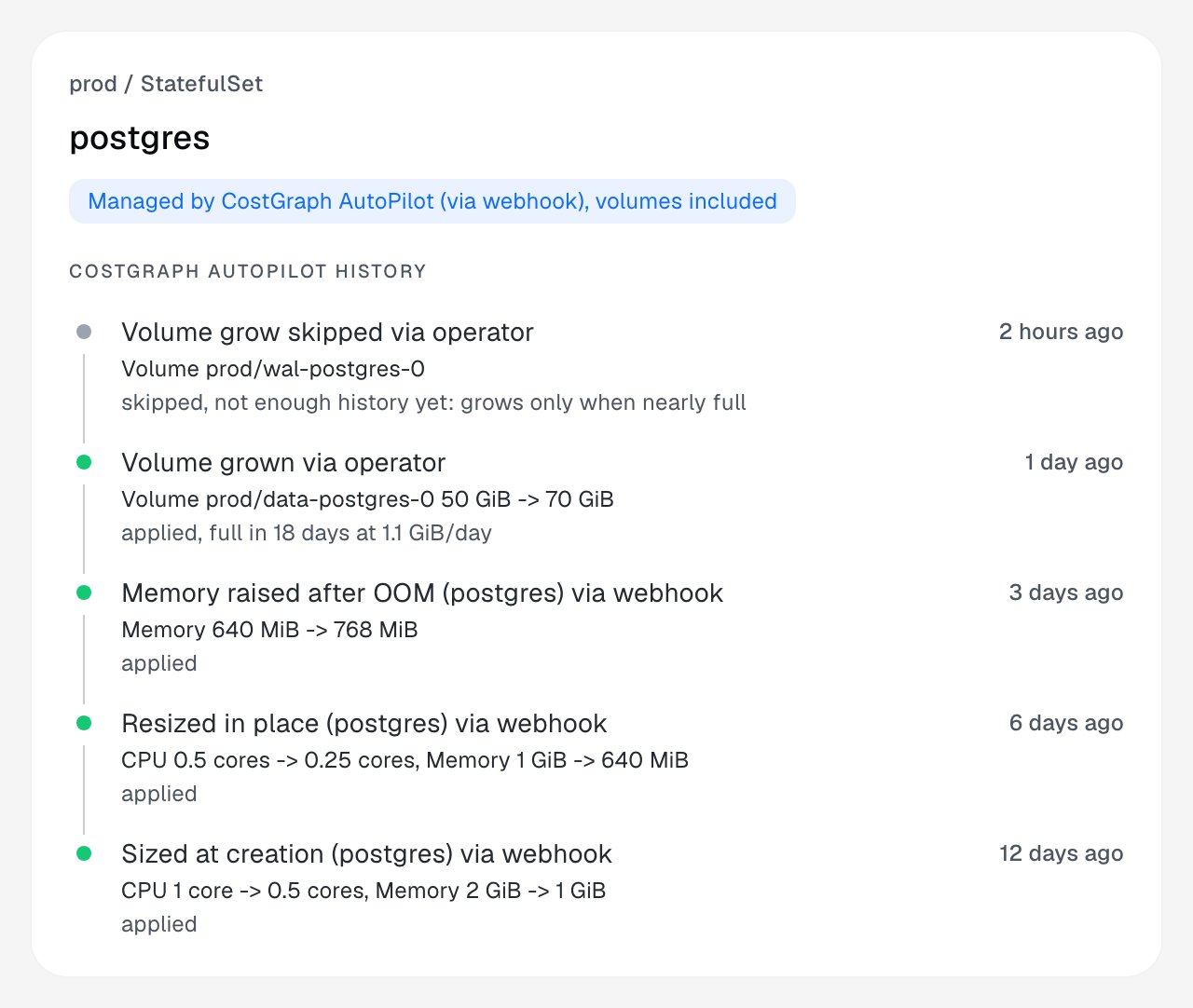
Example AutoPilot history using sample data.
Requirements
- The CostGraph Operator installed on the cluster.
- Kubernetes 1.28 or later for the admission webhook.
- Kubernetes 1.33 or later to resize running pods in place. On older clusters, sizing is applied when pods are created and the chip says so.
- A learning period. A workload is not changed until CostGraph has a confident recommendation for it, and the chip shows “Learning” until then.
- Priced nodes to lower requests. AutoPilot lowers a request only when the
reduction saves at least
min-savings, which is $1 a month by default. On nodes CostGraph cannot price, it holds every reduction and still applies increases. - Karpenter NodePools on
karpenter.sh/v1for pool placement and GPU model moves. Without Karpenter,placement: autohas no effect.
On-premises and bare-metal clusters
AutoPilot runs on any Kubernetes cluster that meets the requirements, with or without a cloud provider. The admission webhook’s certificate is generated by the Helm chart, so you don’t need a certificate manager. Sizing, GPU counts and persistent volume growth work the same as on a cloud cluster. CostGraph prices a node from its instance type and region labels. Nodes without them are unpriced. To let AutoPilot lower requests on those nodes and measure what it saves, pin each node to a rate you registered with a pricing ID:autopilot.costgraph.ai/min-savings: "0" on the workload or namespace. The
savings it makes are not measured until the nodes are priced.
Turn it on
1
Enable it on the cluster
AutoPilot is off by default. Turn on the cluster switch and the way changes are applied:See Operator configuration for every setting.
2
Annotate a namespace or a workload
initial, watch the
timeline, then move to auto.Modes
The annotation settings are listed in Annotations.
How it applies changes
You choose how sizing is applied withautopilot.costgraph.ai/via, or cluster-wide with global.autopilot.defaultVia.

webhook (default)
CostGraph sets requests on pods as they are created and, with
mode: auto on
Kubernetes 1.33 or later, resizes running pods in place without evicting
them, a few pods at a time. It also supports GPU sizing, pool placement,
rollback after a failed change, and sizing of Jobs.
vpa
CostGraph supplies recommendations to a Vertical Pod Autoscaler that it creates
for the workload, and the VPA applies them.
Sizing profiles
autopilot.costgraph.ai/profile sets how much headroom a request keeps over
observed usage.
A request is the usage CostGraph expects divided by the target utilisation, so a
safe request is larger than a tight one. Your own cpu.min, cpu.max,
memory.min and memory.max bounds are applied on top.
What AutoPilot checks before every change
Changes are applied in this order, and each step can hold a change back. A held change is still shown as a recommendation with the reason.- The profile sets the starting request.
- Your minimum and maximum bounds are applied. If a minimum is higher than its maximum, both are ignored and the chip reports it.
- The request is capped to what the workload’s node pool can launch, after DaemonSet overhead and system reserves. A cap is never exceeded.
- A resource an HPA scales on is dropped from control (see below).
- Learning period, direction, minimum change (default 10%), minimum savings, cooldown and change window.
- After an out-of-memory kill of a running pod, the memory request and limit are raised by 20% straight away, ignoring cooldown and window and never above your
memory.maxor the pool cap. The raise fades back toward the recommendation over three days. This applies tomode: autoworkloads on the webhook path. - Limits keep their current ratio to the request. A limit is never added where there is none and never removed.
Horizontal Pod Autoscalers
If an HPA scales a workload on CPU or memory utilisation, AutoPilot stops managing that resource, because changing the request would change how the HPA scales. The chip shows why.- A utilisation metric on a resource (
Resource) drops that resource for every container. - A utilisation metric on one container (
ContainerResource) drops that resource for that container only. - Average-value, custom and external metrics drop nothing.
GPUs
AutoPilot leaves GPUs alone unless a workload opts in with its own annotations.gpu: autolets AutoPilot lower how many GPUs a pod requests when it uses fewer. It does this only when a pod is created, never on a running pod, because Kubernetes cannot change a pod’s GPUs in place. A new GPU count takes effect on the workload’s next rollout.placement: autois also needed to move a workload to a cheaper GPU model, for example from an A100 to an L4. AutoPilot sets where new pods are scheduled, so the change also takes effect on the next rollout.- The cheaper GPU model must be one the workload’s Karpenter NodePool can launch. AutoPilot considers only the GPU models that NodePool allows, so GPU model moves need Karpenter. On a cluster without Karpenter,
gpu: autostill lowers the GPU count.
Platform limits
- Quality of service is preserved. A Guaranteed pod keeps requests equal to limits. A Burstable pod never becomes Guaranteed, and a BestEffort pod is never given requests. Requests and limits are never removed.
- Memory limits are not lowered in place. They are lowered only when a pod is created. Resizing a running pod changes CPU and memory requests, and memory limits only grow.
- Jobs and CronJobs are sized when they are created and never resized or evicted while they run.
- GPUs are never resized in place. See GPUs.
- Running pods are resized only for CPU and memory of regular containers. Init containers, GPUs and other extended resources are not resized. Windows pods are not resized in place.
- Rollouts pause in-place resizes. A running workload in the middle of a rollout is left alone until it finishes. Sizing of new pods continues.
- In-place resizes are paced. At most 10% of a workload’s pods (at least one) are resized per cycle.
- In-place resizes have a cluster-wide cap. At most 50 pods per cluster are resized per cycle.
- A failed change is rolled back. If a pod is killed for running out of memory or starts crash-looping within 30 minutes of an in-place change, the change is reverted on the workload’s pods and held for 30 minutes. Throttling is not used as a trigger.
- A resize the node cannot take is not retried. The same size is not sent again, and a new recommendation is tried on a later cycle. A resize blocked by a namespace quota is reported once rather than retried. A resize the node defers is waited on for a few cycles and then dropped.
- Node savings from a downsize arrive when nodes consolidate. Karpenter does not yet count in-place resizes when it consolidates, so node cost drops only once nodes are replaced. Savings are measured, not assumed.
- Pods in
kube-system,kube-node-leaseand the CostGraph namespace are never sized or resized by AutoPilot, and pods without a controller are never sized or resized.
Kill switches
You can stop AutoPilot at three levels, from broadest to narrowest.
AutoPilot also fails open. If CostGraph is unreachable, or its data is older than
global.autopilot.staleAfter (30 minutes by default), pods start unchanged and
running pods are no longer resized.
Persistent volumes
Withstorage: auto, AutoPilot grows a workload’s PersistentVolumeClaims before they fill, based on sustained growth. It never shrinks a volume. See Persistent volumes.
Node pools
Withplacement: auto, AutoPilot can steer a workload onto a node pool that runs it more cheaply.
- With
global.autopilot.ownedNodePools.enabled=true, CostGraph can create its own Karpenter NodePools, labelledcostgraph.ai/managed: "true", when a split of an existing pool saves money. See Karpenter. - CostGraph never edits your own NodePools, node groups or compute classes. Suggested changes to them are opened as pull requests for you to review.
- See Supported node pools for every pool type CostGraph recognises.